MCP add-on
Run your front desk from ChatGPT or Claude
The MCP add-on turns your front desk into a remote MCP server inside your WordPress. Ask your AI app about leads, conversations and costs, and reply or add knowledge if you allow writes.
Your team, from their AI app
Ask questions, and act if you allow it
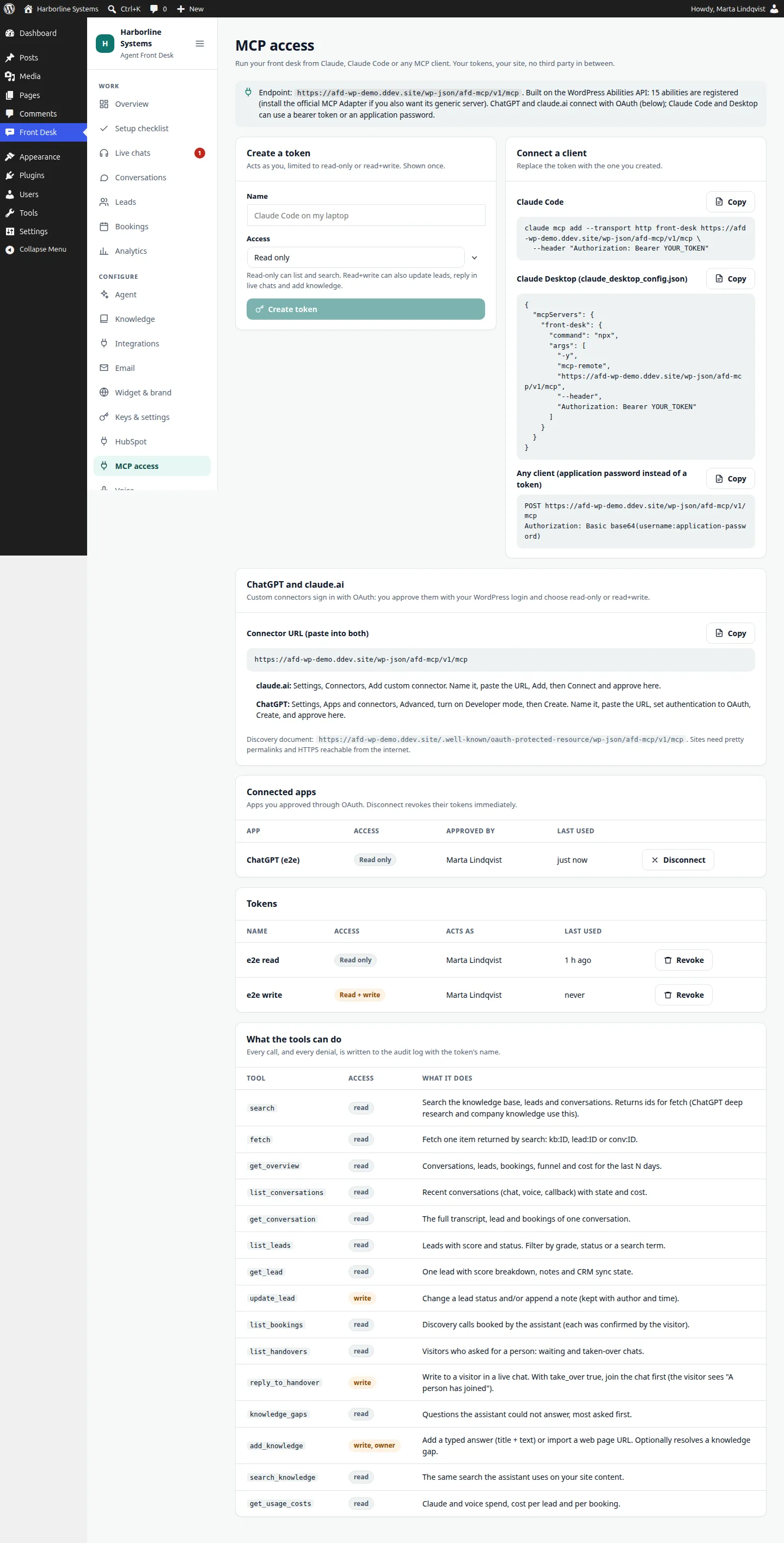
- Ask for your hot leads, read a conversation, see bookings and costs
- Reply in a live chat, update a lead or add knowledge, only with read and write
- 15 tools, including the search and fetch tools ChatGPT expects
- Every call and every denial is in the audit log, with the app or token name
- Read-only access is refused any write
- Disconnect an app and its tokens stop working immediately
The tools act with the role of the person who approved the connection.
Setup
Needs WordPress 6.9 or newer, HTTPS reachable from the internet, pretty permalinks, and a web server that serves /.well-known/. The connector URL is the same for ChatGPT and claude.ai.
claude.ai
- Settings, Connectors, Add custom connector.
- Name it and paste
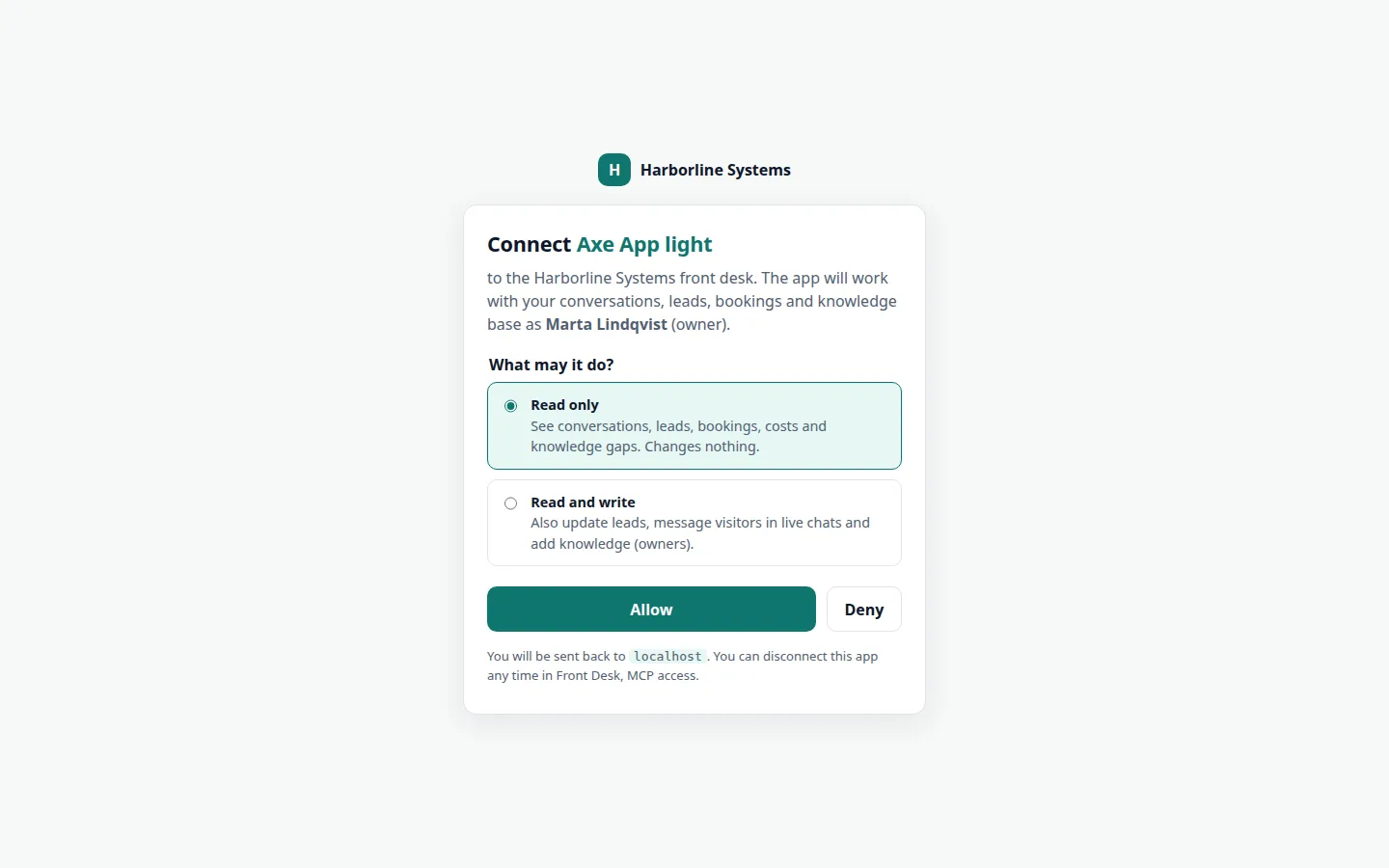
https://YOUR-SITE/wp-json/afd-mcp/v1/mcp. - Connect, sign in to WordPress, and press Allow.
ChatGPT
- Settings, Apps and connectors, Advanced settings, turn on Developer mode.
- Create. Name it, paste the connector URL, choose OAuth.
- Approve on the consent screen. It exposes search and fetch plus the other tools.
Claude Code and Desktop
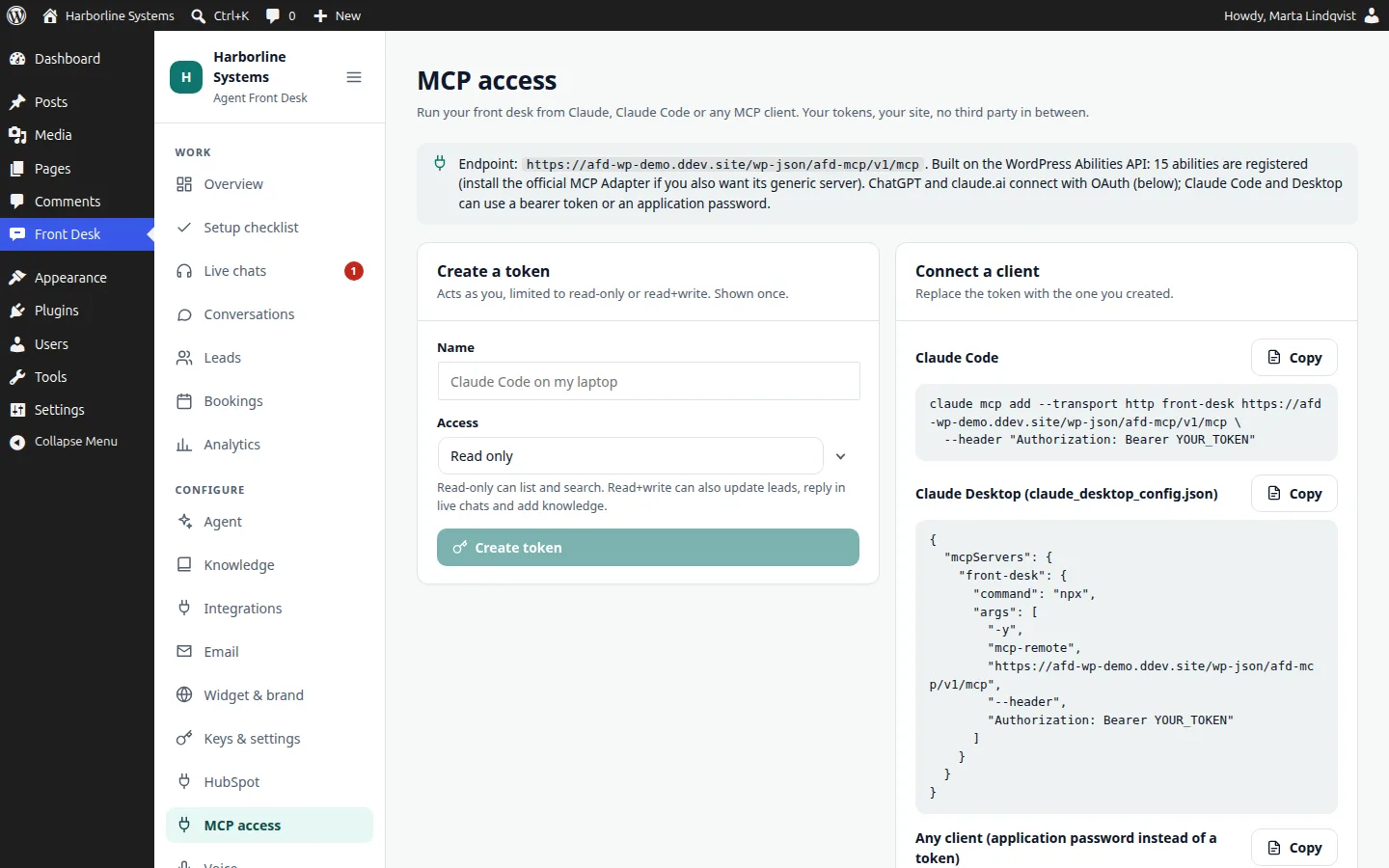
- Create a token under MCP access, read-only or read and write.
- Run
claude mcp add --transport http front-desk URL --header "Authorization: Bearer TOKEN". - Or use a WordPress application password.
Honest note: we ran the OAuth flow end to end with the official MCP client software, locally and through a public HTTPS tunnel, and used the real Claude Code command line over the token route. We have not yet clicked through the ChatGPT and claude.ai apps themselves, and their screens change, so we check the connector with you at install. We do not claim any listing or approval in their stores.
How it is secured
The details, for technical readers
- OAuth 2.1 with PKCE (S256 only), exact redirect matching and resource binding
- Dynamic client registration and client ID metadata documents
- Access tokens last 1 hour. Refresh tokens last 30 days and rotate; reusing one revokes the grant
- Tokens and codes are stored as hashes. A manual token is shown once
- Registration and token endpoints are rate limited
- Manual tokens, application passwords and OAuth grants all work side by side
The other direction
Connecting your own systems
Letting the assistant look up an order or a ticket in your own system is done today as a custom tool in your own plugin, built on our documented extension API. Anything that changes data can wait for the visitor to confirm. A built-in MCP client add-on, to point the assistant at an MCP server directly, is planned and not built yet.
MCP questions
What is an MCP server, and why would I want one?
MCP is a standard way for AI apps to use tools. The MCP add-on lets you add your front desk as a connector in ChatGPT or claude.ai, or use it from Claude Code, and ask about your leads and conversations. You choose read-only or read and write.
Can I connect ChatGPT or Claude to my website’s AI assistant?
Yes. The MCP add-on is a remote MCP server with OAuth 2.1, so it works as a custom connector in ChatGPT and claude.ai, and with a token in Claude Code. We test the connector with you at install, since those apps’ screens change.
Can I keep my data in my own tenant with an AI receptionist?
Conversations, leads, bookings and knowledge live in your WordPress database. The assistant calls the AI vendor you choose, and optional voice, embeddings and HubSpot services, using your own keys. Nothing is stored by us.
Want your front desk in ChatGPT or Claude?
The private beta has limited spots, and each one is set up by hand. Tell us about your site and your CRM.